A live demo on Wednesday, October 21 at 9:00 am Pacific, 10:00 am Mountain, 12:00 pm Eastern. You will see one person’s record run through volunteers, events, the newsletter and the board. Ask your questions as we go.
Received.
You are down for the October 21 demo. We will email you the link before it starts.
The six jobs
From the first name to the minutes
Six jobs a small team does every month. Each one is a room in the same building, so a change in one is already true in the rest.
01
People and supporters
One record per person, found by email. Search, filter and tag people (a supporter does not have to be a member), and import your spreadsheet with a consent step and an undo.
02
Volunteers
Roles and shifts that members and guests claim for themselves. A waiver signed once, a tracker for background checks, check-in that writes the hours, and a year-end hours statement.
03
Events and tickets
Free or paid tickets, guests who register without an account, QR check-in at the door, and sponsor packages for your gala. Paid tickets go to your own Stripe account.
04
Newsletter and updates
A block editor, a send sheet with a test send, audiences by tag, results per issue, and a public news page whose subscribe form needs a confirming click.
05
Board and records
Meetings, agendas, minutes that are circulated and approved, attendance, action items and a trail of what changed. Board-only people are supported.
06
Programs
Your programs and the people in them, on the same record.
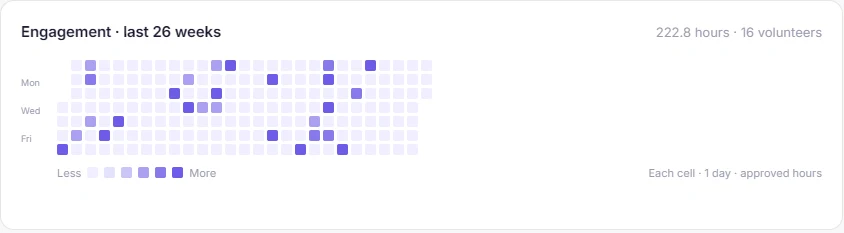
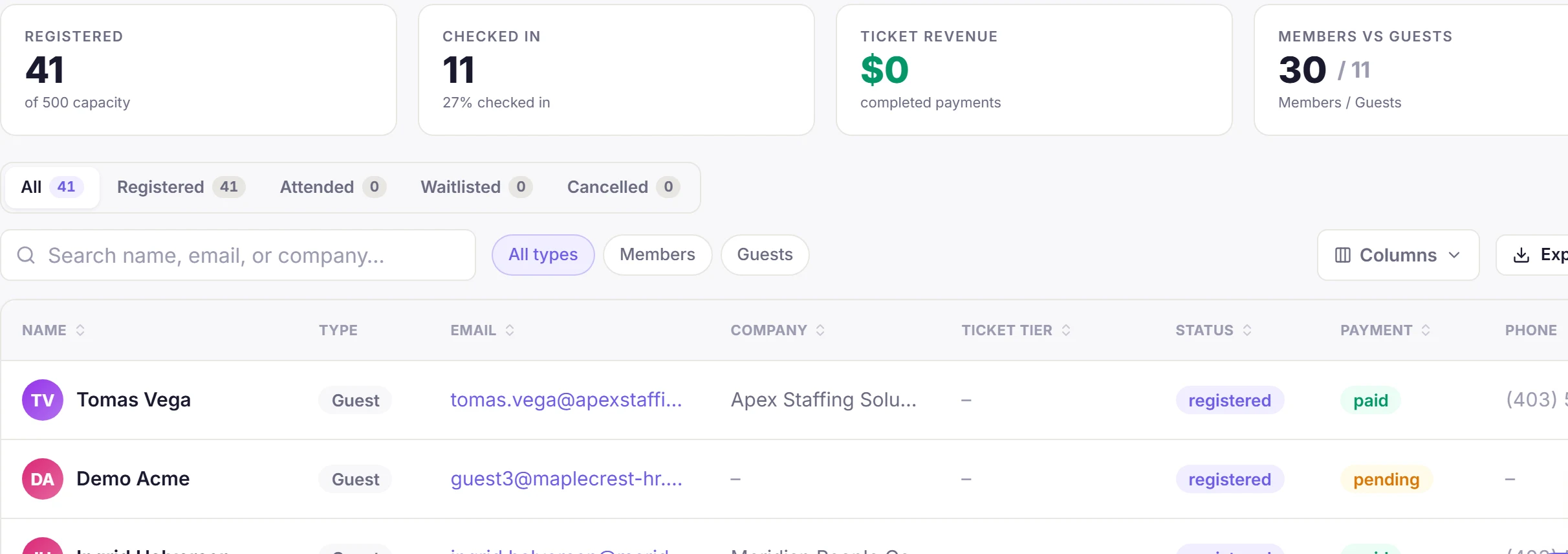
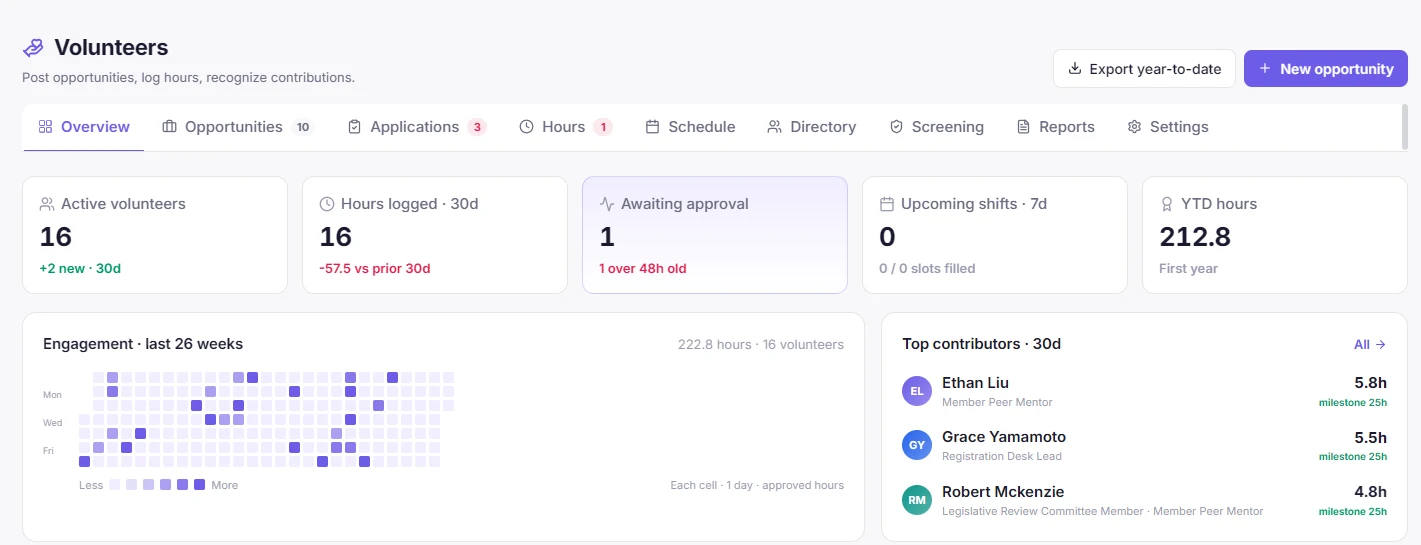
Volunteers overview. Demo data.26 weeks of hours. Demo data.Event registrants, members and guests. Demo data.Newsletter results. Demo data.
The whole iceberg
One page above the line. Six jobs below it.
6 of 6 jobs covered
A supporter sees one friendly page. You carry six jobs underneath, from the list to the minutes. Then the turn: one record runs through every layer, so none of them has to be reconciled with the rest.
One record. A person is one record, found by email, so the volunteer, the ticket buyer and the newsletter reader are the same row.
Hover, focus or tap a layer to read it
Walk the hall
Now, where each job lives
All six jobs, this time as rooms in a community hall, and the one still to come. Walk the floor to see where each one sits and how one corridor reaches every live door.
Six rooms and one planned, one corridor: that corridor is the supporter record. Hover, focus or tap a room to read its job.
How it starts
Start with your list
Three steps, and you do not have to move everything at once.
1
Tell us about your organization
The form at the bottom of this page. A few lines about who you are and what you run.
2
Import your list from a spreadsheet
A guided import with a consent step, tags, and an undo for the whole import if something looks wrong.
3
Post your first volunteer role or event
One shift or one event is enough to see the record start to fill.
Try it
Three small things you can touch
Gala week, before and after
Drag the torn edge, or focus it and use the arrow keys.
Ticket list
Paid? Which one?
Volunteer sheet
am I on for Sat?
check the sheet
Board guest list
Same people again?
Newsletter draft
Volunteers only?
built from memory
The patchworkOne list[ Drag ]
Right side: a real, cropped screenshot of the Volunteers overview, on demo data. Left side: an illustration of the patchwork, no real tools named.
One person, four hats
Pick a sample person to see the one record. Then choose tags to see who an email would reach.
Sample record, EXAMPLE DATA
Sample supporter A
One row. Four hats.
Email these people
Choose tags. People who carry every chosen tag are included.
Illustration with sample people. Nothing is sent anywhere.
Cleared before the day
This role needs a signed waiver and a current check. Try to apply, then fix what is blocking you.
Sample volunteer, signed in as a member
Kids’ corner, adult
This role requires: waiver, background check.
!
Waiver
Not signed
!
Background check
Expired in March
Blocked: sign the waiver, and the check needs renewing.
Waiver. One active, versioned waiver, signed with a typed name. A new version invalidates earlier signatures. You can ask for an annual re-sign.
Checks. You define the types and record each person’s status. Reminders go out 30, 7 and 1 days before expiry, and the status flips to expired the day after.
Who is blocked. Signed-in members cannot apply until they have what the role requires. Guest applications skip the gate and staff review them.
Illustration with sample data. Nothing is sent anywhere.
Three more things to touch
Fill the roster. Check them in. Open the door.
Claim a shift the way a volunteer would. Then switch to staff mode and mark people in, or scan guests in at the gala door.
Roster
Tap Claim on a shift. Try the full one, then claim two shifts that overlap.
Sample volunteers and sample hours. Checking in writes the hours and runs the same side effects as an approval: points, badges and audit. Undo reverses it. Hour badges are seeded at 25, 100, 250 and 500 hours and can be edited.
Sample guests. A guest registers without an account and is checked in at the door, by QR badge or by staff. Capacity is decided as each person registers.
What it does for your week
One list that is right. Hours that write themselves.
The saving is not a speed trick. People are on one list instead of three, volunteers are cleared before the day, and hours are written the moment someone is checked in.
Comes off your desk
Opening three files to answer “am I on for Saturday?”
Keeping the same person in a ticket list, a volunteer sheet and a board list.
Building the volunteers-only list from memory.
Chasing people to sign the waiver before the day.
Retyping sign-in sheets into hours.
Gets added
One record per person, with tags for who they are.
Shifts that members and guests claim for themselves.
A newsletter narrowed by tag, with consent handled.
Gala tickets and check-in, with the money going to your own Stripe account.
Minutes, actions and attendance in one place for the board.
Who needs an account
Guests and volunteers by private link need none. Staff and members use a normal login. Turn a badge over to see what each person does.
Pricing, in plain words
Simple plans. Early organizations pay less.
Access is by request. Every plan is billed once a year, in US dollars. There is no monthly billing. The prices below are 2027 list prices.
Canadian dollar prices are what you pay if billed in CAD.
Volunteers, events, the newsletter and one record per person are on every plan, within these limits. Every plan, including Free, sends email from your organization’s own domain. We do not send from ours.
What is included
Every row is within the caps on the plan cards above.
What each plan includes
Feature
Free
Starter
Growth
Pro
Enterprise
People and records
One record per person
✓Included
✓Included
✓Included
✓Included
✓Included
People records
100
500
2,000
5,000
Custom
Tags
✓Included
✓Included
✓Included
✓Included
✓Included
Saved audiences (segments)
✓Included
✓Included
✓Included
✓Included
✓Included
Custom fields
–Not included
✓Included
✓Included
✓Included
✓Included
CSV import and export
✓Included
✓Included
✓Included
✓Included
✓Included
Admin logins
1
2
5
15
Custom
Storage
250 MB
5 GB
25 GB
100 GB
Custom
Volunteer management
Volunteers (active, per year)
10
50
200
500
Custom
Volunteer management: roles, shifts and sign-up (guests need no account)
✓Included
✓Included
✓Included
✓Included
✓Included
Volunteer hours and year-end statement
✓Included
✓Included
✓Included
✓Included
✓Included
Waivers and background-check tracking
–Not included
✓Included
✓Included
✓Included
✓Included
Events
Free events, registration and check-in
✓Included
✓Included
✓Included
✓Included
✓Included
Paid tickets and sponsor packages, paid to your own Stripe account
–Not included
✓Included
✓Included
✓Included
✓Included
Ticket tiers and promo codes
–Not included
✓Included
✓Included
✓Included
✓Included
Zoom meetings and webinars
–Not included
✓Included
✓Included
✓Included
✓Included
Email and newsletter
Sending from your own domain (required)
✓Included
✓Included
✓Included
✓Included
✓Included
Emails per month
500
5,000
25,000
75,000
Custom
Newsletter and news page
✓Included
✓Included
✓Included
✓Included
✓Included
Personalization fields (such as name and organization)
✓Included
✓Included
✓Included
✓Included
✓Included
Email template library
✓Included
✓Included
✓Included
✓Included
✓Included
Open and click tracking per recipient
✓Included
✓Included
✓Included
✓Included
✓Included
Marketing automation (workflow builder)
✓Included
✓Included
✓Included
✓Included
✓Included
Advanced email analytics
–Not included
✓Included
✓Included
✓Included
✓Included
Community
Surveys
✓Included
✓Included
✓Included
✓Included
✓Included
Member directory with privacy controls
–Not included
✓Included
✓Included
✓Included
✓Included
Forums
–Not included
✓Included
✓Included
✓Included
✓Included
Board
Board area
Board Basic, 3 members
Board Basic, 5 members
Board Pro, 10 members
Board Pro, 15 members
Board Pro, size agreed with you
Reports and connections
Standard reports
✓Included
✓Included
✓Included
✓Included
✓Included
Report Studio
✓Included
✓Included
✓Included
✓Included
✓Included
API and webhooks
–Not included
✓Included
✓Included
✓Included
✓Included
Client management
Client or case tracking
Coming February 2027
Support
Support
Help articles only
Email support and guided import
Email support and hand-assisted import
Priority support and a quarterly call
Agreed with you
Coming
Fundraising platform integrations
2027
Accounting sync
February 2027
Grant management
Q2 2027
Which plans include these will be announced before each one ships.
Plans and features are as planned for launch. See what is not here yet for what is still being built.
The first 100 organizations pay less, and the price is locked for a while. Prices are for the first year, billed annually. Founding places are by invitation, chosen by fit and speed of reply. The Free plan is not part of this.
Founding and Early waitlist pricing is open until NonprofitRun opens, Wednesday, November 4, 2026, 6:00 pm Eastern.
The first 20 organizations on the waitlist get a 20-minute one-to-one call with us.
Founding 10
35% off list
By invitation, chosen by fit and speed of reply. Before launch.
Starter$772 a year$64 a monthList price $1,188 a year
Growth$1,552 a year$129 a monthList price $2,388 a year
Pro$3,112 a year$259 a monthList price $4,788 a year
Price locked 24 months
Early 40
25% off list
On the waitlist, before launch.
Starter$891 a year$74 a monthList price $1,188 a year
Growth$1,791 a year$149 a monthList price $2,388 a year
Pro$3,591 a year$299 a monthList price $4,788 a year
Price locked 24 months
Launch 50
15% off list
From launch, until all 50 are taken.
Starter$1,010 a year$84 a monthList price $1,188 a year
Growth$2,030 a year$169 a monthList price $2,388 a year
Pro$4,070 a year$339 a monthList price $4,788 a year
Price locked 12 months
After 100 organizations, list price applies. When a lock ends, the plan moves to the list price at that time. Monthly figures are the yearly price divided by 12, and you are billed once a year.
Opens at launch
Launch day, 24 hours only
The launch offer opens at launch, Wednesday, November 4, 2026, 6:00 pm Eastern, and lasts 24 hours. Pay 2 or 3 years up front and get 20% off the regular list annual price.
Launch-day multi-year prices in US dollars, 20% off the regular list annual price
Pay up front
Starter
Growth
Pro
Per year
$950
$1,910
$3,830
2 years
$1,901
$3,821
$7,661
3 years
$2,851
$5,731
$11,491
This does not stack with the waitlist discounts. For Founding and Early organizations it simply locks their step price for the term.
What is not here yet
We would rather tell you what is not built
Better you hear it from us now than find it out after you sign up.
Not here yet
Fundraising platform integrations. Coming in 2027. Your gifts stay on your own fundraising platform; NonprofitRun is planned to connect to the platforms you already use.
Grant management. Coming Q2 2027.
Case or client tracking. Coming February 2027.
Accounting sync. Coming February 2027.
Here today
Ticket sales and sponsor packages for your events, paid straight to your own Stripe account.
The people side: one list, volunteers, events, newsletter and board.
Programs, on the same record as your people.
Whatever you use to take gifts today can keep doing that. Nothing here needs to replace it.
Questions
The honest answers
Coming in 2027.
Fundraising platform integrations are coming in 2027. Your gifts stay on your own fundraising platform. Ticket sales and sponsorship payments work today and go straight to your own Stripe account.
Yes.
We are running a live demo webinar on October 21 at 9:00 am Pacific, 10:00 am Mountain, 12:00 pm Eastern. Save a seat in the Come and see it live row, or tick the webinar box when you join the waitlist. You can also click through the sample data in the Try it section any time.
Yes.
Standard reports and Report Studio are on every plan. Report Studio turns a plain-English request into a report you can print or export as a PDF or Word file.
Yes.
Guests give a name, email and phone. They need no account, and they see their hours from a private link. Members use their normal login.
Yes.
Free or paid tickets. Guests register without an account, capacity is decided as each person registers, and paid tickets go to your own Stripe account. You can add sponsor packages too.
Yes.
A guided import with a tags step, a consent step and a warning about addresses you have suppressed. If something looks wrong, undo the whole import.
Optional, 1 minute
What do you use today?
Tick the tools you have now, and tell us the plan you are on and what you pay. Everything here is optional. If you add what you pay, we set it beside our list prices.
Newsletter tool
CRM or supporter database
Volunteer management
Donor management
Event tickets and registration
Board and meeting tools
Client or case management
Forms and spreadsheets
Other
Turn JavaScript on to fill this in here, or just tell us what you use in the form below.
Tools today: 0
Add what you pay to see your yearly total
Plan prices are US dollars, 2027 list, billed annually. Compare only if your amounts are in US dollars. Plans differ in how many people, emails and storage they include; see the plans above.
This is arithmetic on the numbers you typed. Compare features before you decide: NonprofitRun does not yet do everything the tools above do (see what is not ready yet).
Amounts are what you pay today, in your own currency.
 NonprofitRun